Insights
Lisa Lloyd
Senior Account Manager
WordPress or Webflow: Which CMS is best for your nonprofit?
February 12, 2026
3 Minute Read

If you’ve started researching platforms for a new website, you’ve probably encountered the WordPress vs. Webflow debate.
Webflow has generated a lot of excitement in recent years, positioning itself as a modern, visual-first website platform with intuitive editing tools and built-in hosting. At the same time, WordPress continues to power a significant portion of the internet and remains the platform of choice for many of the world’s largest organizations, publishers, universities, and nonprofits.
So which platform is right for your organization? As with most strategic decisions, the answer depends less on today’s needs and more on where your organization is headed.

The Rise of Webflow
There’s a reason Webflow has gained traction.
The platform offers a highly visual editing experience that allows users to build pages and manage content without writing code. Its interface is polished, modern, and approachable for marketing teams that want to move quickly. For organizations with relatively simple websites and small content libraries, Webflow can be an excellent fit. It allows teams to launch attractive websites quickly and make routine updates without relying heavily on developers. Many of the features that attract organizations to Webflow, including drag-and-drop page building, AI-assisted content creation, and visual editing tools, are genuinely useful.
The question isn’t whether Webflow is a good platform. The question is whether it’s the right platform for your organization’s long-term growth.
Why We (Typically) Recommend WordPress
When evaluating a CMS, it’s easy to focus on how easy it is to build a page today. What’s often overlooked is what happens two, three, or five years from now.
Most organizations don’t simply need a website. They need a platform that can evolve alongside their mission, programs, content strategy, and audience expectations. That’s where WordPress shines.
We often describe the difference this way:
Webflow is a design-first platform. WordPress is a content-first platform.
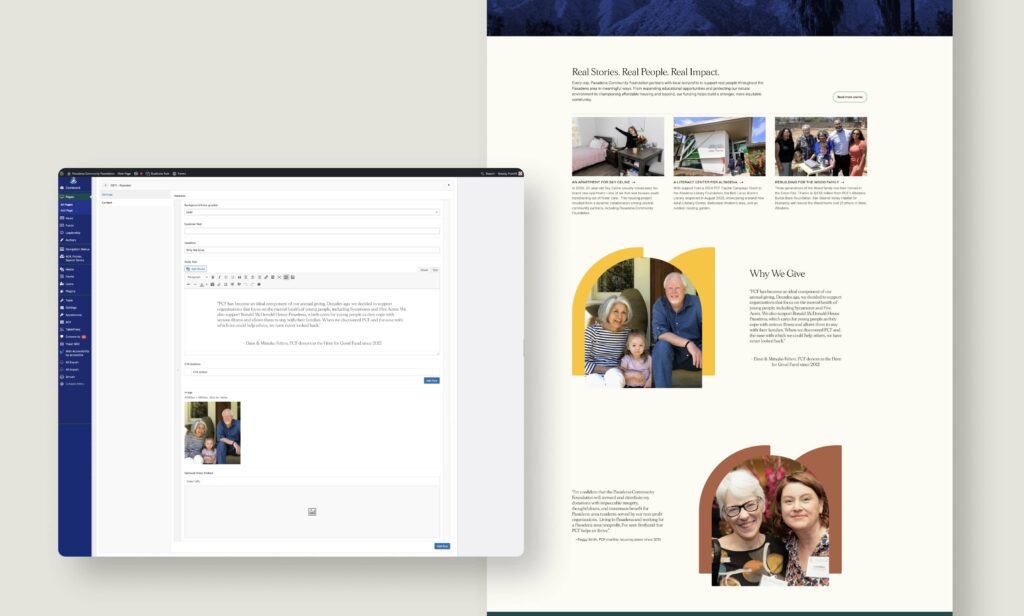
Design is important. But over time, content becomes the primary driver of website complexity. As organizations grow, they create more content types, more audience journeys, more integrations, more governance requirements, and more reporting needs. The platform that manages those relationships effectively becomes increasingly valuable. WordPress was built for exactly that challenge.
Flexibility Matters More Than Features
Organizations often compare feature lists when evaluating platforms.
- Does it have drag-and-drop editing?
- Does it have AI tools?
- Does it have templates?
Those questions matter, but they’re not usually what determines long-term success.
The more important questions are:
- Can the platform support new content types as our organization evolves?
- Can it integrate with the systems we already use?
- Can multiple departments contribute content without creating chaos?
- Can we expand functionality without rebuilding the site?
- Can future agencies or internal teams work within the platform?
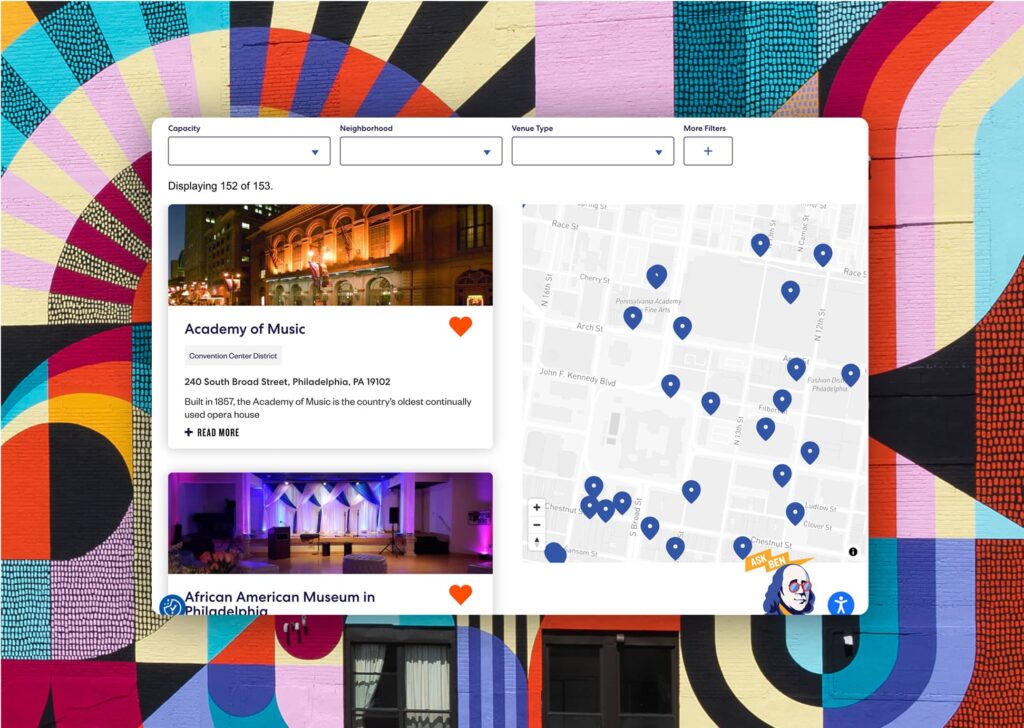
WordPress consistently performs well because it was designed to be extended and adapted. Whether you’re managing research publications, events, resource libraries, interactive maps, donor portals, data visualizations, member content, or complex audience pathways, WordPress provides the infrastructure to support that growth.
What About AI?
One of the most common questions we hear today is whether Webflow is more AI-enabled than WordPress.
The short answer: not really. Webflow has done an impressive job integrating AI features directly into its platform. Users can generate content, build layouts, and streamline certain workflows using built-in AI tools. But AI is rapidly becoming platform-agnostic.
WordPress has access to a massive ecosystem of AI-powered plugins, integrations, and third-party tools that support:
- Content creation
- SEO optimization
- Translation and localization
- Search experiences
- Accessibility improvements
- Personalization
- Marketing automation
More importantly, WordPress gives organizations the flexibility to adopt new AI tools as they emerge rather than relying solely on the roadmap of a single platform provider.
Data Visualization and Interactive Storytelling
For organizations that rely heavily on research, data, and storytelling, the platform itself is only part of the equation.
The real value comes from how data is presented. Whether you’re creating interactive charts, maps, dashboards, calculators, or custom storytelling experiences, those features are typically built using specialized tools and libraries rather than native CMS functionality. WordPress provides a flexible framework for integrating technologies like D3, Tableau, Flourish, Power BI, custom APIs, and other visualization tools. In other words, the CMS manages the content and structure while specialized technologies power the interactive experiences.
This separation creates a more scalable and maintainable solution over time.
The Right Tool for the Right Job
To be clear, this isn’t an argument against Webflow.
For marketing-focused websites with relatively straightforward content needs, Webflow can be a strong choice. But for organizations that publish frequently, manage growing content libraries, serve multiple audiences, require complex integrations, or expect their digital presence to evolve significantly over time, WordPress continues to offer advantages that are difficult to ignore.
The best CMS isn’t necessarily the newest one. It’s the one that provides the strongest foundation for where your organization is going next. Before choosing a platform, look beyond today’s feature set and consider the future complexity of your content, operations, and audience needs. The right decision isn’t about which platform feels more modern.
It’s about which platform will still support your goals years from now.
Is it time for your nonprofit's brand to catch up
with your mission?
Contact Us
Recent Insights
A Strategic Brand is Essential for Nonprofit Marketing Success
An authentic brand is what your audience thinks of you. But without marketing, how does your audience know you even exist?
28
Jan

28
Jan
5 Innovative Ways to Showcase Your Nonprofit’s Impact on Your Website
“Show your impact” – a daunting task that so many in the nonprofit space have come to dread. Yet, no matter how difficult it is, measuring and communicating effectiveness in your marketing is a critical objective for nonprofits around the world.
18
Oct
18
Oct